Gas identity
Put the gas name and mix where a diver looks first.
Cylinder stickers for analyzed gas
Turn checked gas values into labels divers can read at the fill bench, on the boat, and during team handoffs.
Analyze and verify the gas first. The app helps make the label clear.
Why labels matter
Fill rooms are noisy. Boat decks are crowded. Tech teams move cylinders between benches, cars, boats, and water. A label has to make the important fields easy to find before anyone breathes from that cylinder.
Put the gas name and mix where a diver looks first.
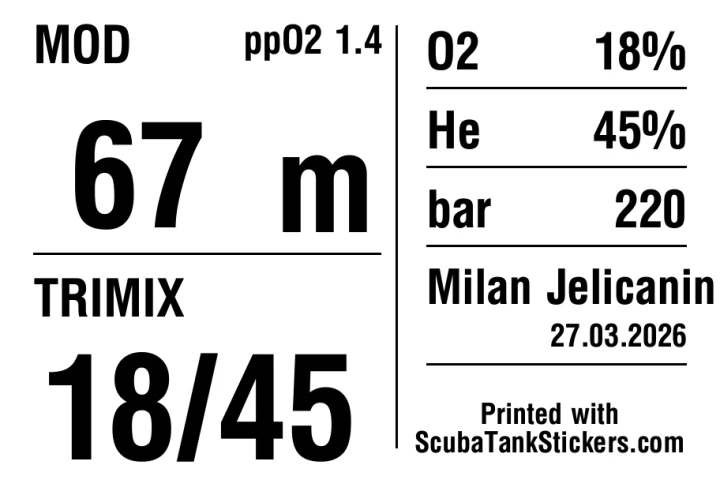
Keep MOD and ppO2 beside the mix, not buried in a note.
Make stage, deco, bailout, diluent, oxygen, rental, and team cylinders obvious.
Show owner, team, pressure, date, and role before the cylinder changes hands.
How it works
The app is for the label step after the real checks. Calibrate the analyzer, analyze the cylinder, confirm MOD and ppO2, then print the fields in a layout other divers can read quickly.
Use a calibrated analyzer and the procedure you were trained to use.
Gas, O2, He, MOD, ppO2, pressure, owner, role, and analysis date.
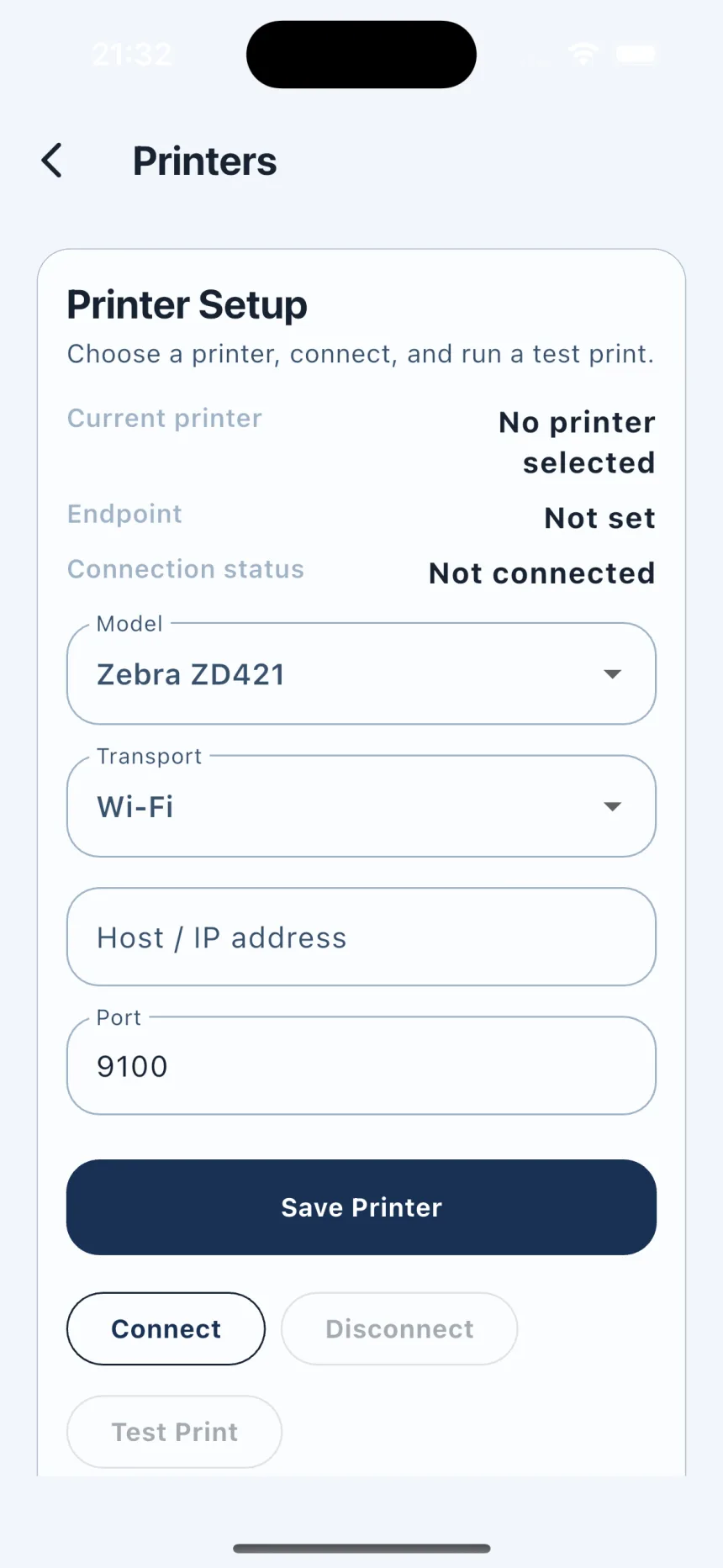
Send the label to a configured local Zebra printer over Wi-Fi or Bluetooth.
Duplicate and reprint common fills without typing the same fields again.
From analyzer to label
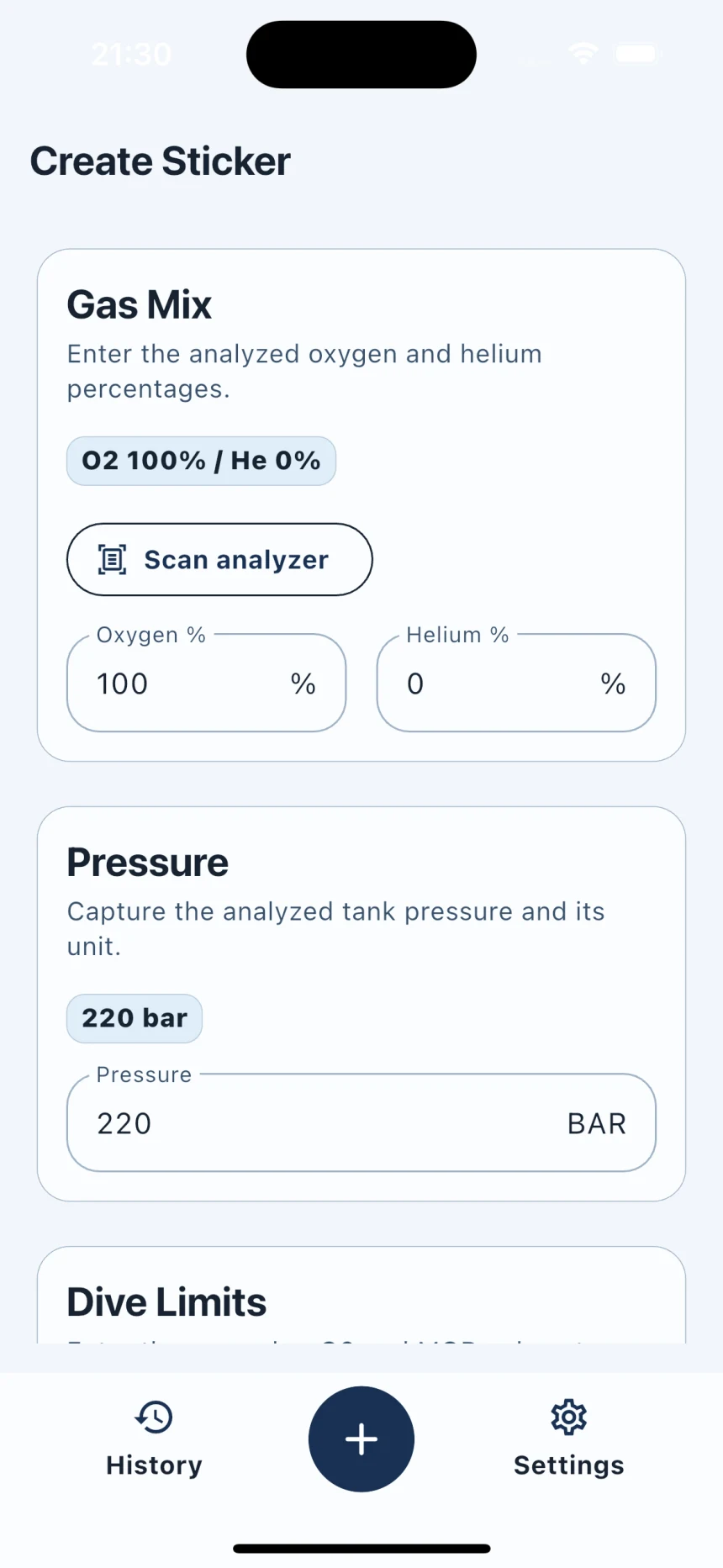
Scan the analyzer display or enter O2 and He manually. Review every field, then print directly to your configured Zebra printer.
What changes at the bench
O2, He, gas name, and MOD are placed where eyes expect them.
Saved local history helps with course sets, team cylinders, and regular customers.
Customers see one clear label standard instead of different handwriting every time.
Owner, role, pressure, and date travel with the cylinder.
Label system
Critical fields stay in predictable positions, so divers and staff do not have to decode handwriting during a fill-room rush or team check.
Gas analysis
MOD
58 m
Gas analysis
MOD
6 m
Built for repeat label work
Individual divers can use it, but the workflow is shaped by fill stations, dive centres, instructors, liveaboards, and tech/CCR teams who keep seeing the same label problems.
Customer pickups, rental cylinders, course cylinders, and repeat fills need one readable label standard.
Staff can move from analyzed gas to label handoff without rewriting the same fields on tape.
Stage, deco, bailout, diluent, oxygen, and team cylinders need clear roles and limits.
Launch feedback
The first useful release needs field feedback from people who print or check cylinder labels when the bench is busy. We are looking for practical workflows, printer details, and photos of real labels in use.
Dive centres, fill stations, instructors, and tech/CCR teams with repeat label work.
Printer model, label stock, device model, gas mixes, cylinder roles, and where labels are read.
Real labels on cylinders, Zebra output, analyzer bench photos, and readable MOD/gas examples.
iOS/iPadOS app support
Scuba Tank Stickers is a paid, local-first iOS/iPadOS utility. It keeps sticker history, defaults, and printer settings on the device. It sends print jobs only to configured local Zebra Wi-Fi or Bluetooth printers, and gas analyzer OCR stays on device.
No accounts
No cloud sync
No advertising
Sticker history stays on device
Local Zebra Wi-Fi/Bluetooth printing
On-device OCR for gas analyzer readings
Use-case guides
Use these when you need a specific cylinder, gas, role, or printer workflow. Each guide keeps the label honest: analyzed gas first, readable fields second.
For shops, rental cylinders, course cylinders, customer pickups, and repeat fill-station work.
Open guideGuideFor oxygen-rich deco cylinders where gas identity, MOD, and handoff clarity matter.
Open guideGuideFor stage, travel, and deco cylinders moving through technical-diving teams.
Open guideGuideFor maximum operating depth markers that need to be visible at a glance.
Open guide